
Banner image

cypho's 36" DIY reef (1 Viewer)

I like the way you think. :) When the pump speeds up the valve automatically closes down to keep a constant flow rate though the ATS. Overly complex but it would be really cool.

As impressive as it would be, I don't see this one in the cards. I'm pretty sure that even a DIY auto-ball-valve would cost more than a high-end pump, it would definable be less reliable than a dedicated pump, and I'm not sure there would be any electrical savings either.


instead of using the mag 7 to run your ats you could run a manifold off of your dc12,000 and plumb that over. you could controle it with one of these

http://www.plastomatic.com/ebv.html

they cost a bit but you seem handy and it wouldnt be hard to make one!
 
Last edited:
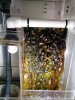
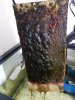
I cleaned the ATS for the first time yesterday. It was a lot harder than I expected to get the algae off of the screen. Almost all of the algae was attached to the screen strong enough that I was not able to remove any of it with my bare fingers. What is the typical method of harvest? I ended up scraping the screen with a razor blade and collected about 1/4th cup of algae. Compared to David's photos of bright green fluffy algae harvests, my algae was very dark and slimy.

IMG_20150516_215132.jpg


The back of the screen that sees no direct light had more algae than I expected.
IMG_20150516_215218.jpg
 
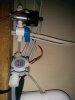
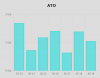
I added a flowmeter to the ATO line this week. Previously I was tracking the ATO in seconds, now I can track it in gallons! It can also detect ATO solenoid failure.


IMG_20150519_194556.jpg
ato-chart.png
 
No hardware changes since the last post, but it's been long enough I suppose it is time for an update anyway.

Everything has been doing pretty well and growing with the exception of 1 acro. Over the last month or so I lost a tri-color acro to what appeared to be predation - once every few days I would notice a new 2-3mm white/bald spot where the tissue was gone. It did not die from the bottom up, or from the tips down. The location of each new dead spot appeared to be random. I also lost a half-dollar sized leather coral frag that completely disappeared one night. It was doing great and growing fairly quickly and then the next day there was just a shadow on the rock where it used to be. I searched every nook-and-cranny and found no trace of it. Not even the pile of spicules you would expect if it decided to melt overnight. My only suspect is the big tiger cowrie but I have not caught it in the act or even seen it in the vicinity new damage. I really hope it isn't the cowrie. I love the cowrie, I might keep him even if I do catch him in the act.

Several corals have started to look a bit pale in color - the meteor shower cyphastrea is bordering on bleached. Not sure what is the cause, but the corals don't seem to mind their new look as much as I do - the cyphastrea has encrusted more than an inch in each direction since it started looking bleached. Temperature, alkalinity, and lack of nutrients are among my suspects. I'm also thinking may be it is time for my first partial water change. But I'm still hoping I can hold off until I can build an automatic water changer.
What ever the cause, as long as the corals keep growing I am not too worried about some temporary color loss.

In the last week, a switch seems to have flipped on the clowns. The smaller clown has started to transition from being more slender and having a black-tail, to looking taller and having a while tail like the larger clown (they both still have remnants of their 2nd stripe). And in what can't be a coincidence, the big one has stopped trying to kill the small one. They now share the anemones and have begun nest-cleaning.

As for the two aurora gobies: I had not seen more than 1 at a time for more than 3 weeks and I assumed I had lost one of them. But then a few days ago at feeding time both of them decided to come out at the same time. I love the way cryptic fish make aquarium watching so exciting, you never know when they will decide to show themselves.


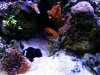
And finally a quick cell-phone pic.

IMG_20150703_224451.jpg
 
Last edited:
I've been having troubles with my controller for the last several weeks. After a while, some sensors would stop producing valid data and/or relays would fail to activate. I wrote a diagnostic program that would run down the list of components and test each one, one at a time and everything checked out, but as soon as I let the main program run things would start failing. I rewired everything, and triple-checked all of the code, replaced the power supply, replaced the relays, and even replaced the main PI board. A few times I thought I had solved the problem, but after a few hours/days things always started failing again.

The software was smart enough to ignore the faulty sensor data and the relays are all configured in a fail-safe state (circulation pumps fail on, ATO fails off, etc.). So the buggy controler did not cause or any real problems, but it has been very annoying that I could not get it working right.

And then last night I finally figured it out!!!

It takes 20ma to hold one of the relays in its non-default state. That does not sound like much, but I have 16 relays so the total power draw can be as high as 320ma which is a lot considering the rev2 pi I am using only has 750ma to work with, most of which the PI needs for its own internal operations. There is a polyfuse that slowly drops the voltage as you try to draw more power. Eventually the voltage was dropping lower than the minimum needed by the relays and sensors and things would start to fail. Less than 4 volts were actually making it to the relays, and the 3.3v sensors were only getting 2.8v.

Once I had the cause of the problem pinned down, the solution was easy. The relay boards have 2 power inputs, 1 for logic, and 1 for actually driving the relays. Instead of driving the relays with the PI's 5v pin, I just needed to give the relays their own power supply. All I had to do was cut a USB cable in half, connect the red wire to the relay's 2nd power input, and plug the cable one of the extra USB ports on the power supply. And now I can activate all 16 relays without causing any drain on the PI's power. It's only been 12 hours, but so far everything is running smoothly again.

My pi is an older model, the newer models have a significantly better power management system and are capable of supplying lot more power. If I was using one of the newer models, the 320ma power draw probably would not have been a problem. Still it is probably better to have the dedicated power supply for the relays, I should now have enough power available to drive 100 relays.
 
Last edited:
Now that I have all of the existing features working again, I can go back to adding new stuff. First up: tides and waves. After reading a lot of info about the math involved in tide predictions, I decided that offline, on the fly, tidal prediction was probably possible but was going to be more trouble than it was worth.

Since the PI has access to the internet, it is a lot easier to just pull tide predictions from NOAA's website. NOAA even has a site that provides the data in a variety of computer-friendly formats. http://opendap.co-ops.nos.noaa.gov/axis/

I chose the Kawaihae Hawaii NOAA station. Every 12 hours the PI downloads new tide data with tide height predictions in 6-minute increments. Each pull looks at least 24 hours forward so if the internet is unavailable for a while, it does not immediately have to drop into a failure mode. I also relocated my sunrise/sunset calculations to use the same lon/lat as the tide station so the lights will be in will be in perfect sync with the tides at that location.

I intend to use the tide data to control the wavemaker and sump-return pump. The speed of the sump pump will sync with the rate the tide is going up/down and the wavemaker will sync with the height of the tide (larger waves at low tide, smaller waves at high tide).

I added a Jebao RW-8 Wavemaker. It is attached to the front of the overflow box, pointing to the left. I am a bit disappointed by the maximum size of the wave it can make ( around 1 inch tall, I was hoping for 3.5 inches tall), but I am glad I did not go bigger because the pump already takes up more space than I would like and I may want to add a 2nd one later so I can reverse the direction of the flow. I have not yet purchased all of the parts I need to control the speed of the pump and powerhead, so for now I am just using the tide data to turn the wavemaker off when the tide is higher than 50% and on when it is lower than 50%.

Screenshot_2015-08-06-08-18-11.jpg
 
Last edited:
Great to see someone starting to implement the tidal surge into their reef tank.

From what I've read in your post, for now you just have the one powerhead so you're creating a wave that is generated from one end.
Are you using the data from NOAA to have the pump power on during both tides; low and high? Or are you just programming for the high tide with the one pump and waiting to use the low tide with the future pump?
I'm very interested in seeing how this works with coral growth rates, growth form and polyp extension.

I have spent a little bit more time trying to plan the programming for my Vortech pumps with the Apex controller; not much, but some.
Hopefully, I will have some time to discuss my thoughts this weekend. But I need to organize my notes and print out some more reference materials.
 
Different locations on the reef are impacted by waves and currents very differently. To emulate a 3 ft x 2 ft piece of ocean I must choose a specific location on the reef.


The location on the reef I am trying emulate (at the moment) is on the ocean facing side of an outer barrier reef. At low tide the waves come in and break over the reef resulting a great deal of turbulence from the wave action. At high tide the waves pass over the reef without breaking, resulting in much less turbulence. The waves always come from the same direction (from the ocean, towards the shore). When a wave comes in the water moves 2 feet forward and then 1 foot back with each wave. The spot is not on the edge of a channel where the current rips in/out with the running of the tides. The water motion is dominated by wave action and the tide's primary impact is on the strength of the wave action.


The wavemaker is in the center, pointing out. It is in mode 1 - rapidly pulsing on and off. This creates a standing wave and a fairly strong back and forth motion. Even though the pump is pointing in one direction, the water-flow it creates is back and forth almost equally in both directions. Eventually the size of the wave will slowly ramp up/down as the tide falls/rises but for now it is just on at low tide and off at high tide. I am going to adjust the speed of the sump pump to be stronger when the tides are running and very slow at low and high tide, this is more to emulate the almost dead-calm of high tide than it is about feeling the running of the tides.


There are a number of other locations on the reef you could emulate. For example, a spot on a channel, will experience a strong in/out flow with the running of the tides and may be less effected by wave action. Or a near-shore lagoon-type reef will be calm at low tide when the waves broke on the outer reef, and turbulent at high tide when the waves make it past the barrier reef and are breaking on the shore.


If I add a second wave-maker pointing in the opposite direction, it's main purpose would just be to increase the amplitude of the wave. I might also consider relocating to a position closer to the channel and toss in slight reversal of the wave action (when the wave comes in it moves 1 foot forward and 2 feet back) when the waves are weak and the tide is running strongly in the reverse direction.
 
Last edited:
I added a baby (less than 1" ) Potters Angel to my sump a 3-4 weeks ago to let her acclimate to captive life in a safe (away from the clownfish) environment with plenty of natural food (the sump is filled with sponge covered live rock and is teaming with live mysis). She's looking healthy but is still very shy (only get a glimpse of her every few days) spending most of the time buried deep in the rock pile.

Today I added a larger ( 2"-3" ) Potters Angel to the sump with her to hopefully form a pair. The new angel is of course still shaken up by the move; it's too early to say that he will make it. But the small angel is loving her new sumpmate. Within 5 minutes, she came had come out of the rocks to greet her sumpmate and was following him around, confidently chasing down live mysis. I've seen more of her in the last minute than I have in the last month. Aparently she just needed a friend.

Hopefully I'll soon get them eating prepared foods and be able to move them up into the display tank. That will be the real test; will the clowns permit them to invade their territory?

__________________________________


With the cabinet door closed, the humidity is reaching 100% and drenching everything in the cabinet with condensation. I added a humidity sensor to the cabinet this weekend and plan to install a fan to pump in fresh air when the humidity gets too high.

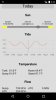
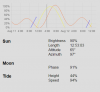
I loving the tide chart on my web interface. But that does not mean it can't be improved. I added Sunlight intensity(yellow), Moonlight intensity(blue) to the existing, Tide height (orange). Grey vertical line is shows the current time, and the numbers below are the current values. At the moment this data is mostly cosmetic since halides aren't dimmable and I don't have a moon light.

sun-moon-tide.PNG


Solar Altitude, Lunar Altitude and Lunar phase are calculated with pyephem. Sun brightness is calculated as sin(solar_altitude) and Moon brightness is sin(lunar_altitude) * lunar_phase. I believe that is the correct way to calculate the intensity of the light reaching the surface of the water. Any ideas on how to adjust for brightness underwater (or if there is any difference to adjust for)?
 
Last edited:
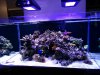
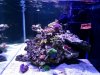
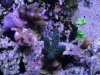
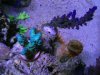
I really need to get out my camera and take some nice pictures....but that would require effort; here are some more cell-phone pics.

IMG_20150816_153300.jpg

IMG_20150816_150013.jpg
 
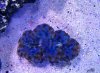
Here is my favorite coral so far. I thought it was really nice when I got it from New Wave. Turns out I was wrong; now it is really nice. It lost a bit of the blue, but became 1000% more awesome. So good I had to go back for a 2nd piece yesterday.


Here is the new piece that got from New Wave yesterday (and they still had several more pieces left).
IMG_20150816_154341.jpg


And here is the piece that has spent the last few weeks coloring up in my tank. Amazing how much it changed! And even more amazing that it was a change for the better!
IMG_20150816_154227.jpg
 
Last edited:
At the February meeting at rockman_1's house, Chris broke up a piece of brown Montipora digitata and gave everyone a piece. It was my first Meeting with TCMAS, I didn't even have an aquarium setup at the time, I just had a bin with some not-very-live-rock sitting on the floor.

Not only did it survive, it has also colored up nicely. I think
it might have been ORA German Blue polyp digitata.


Thanks Chris. Let me know if you ever want a piece back.

IMG_20150816_154305.jpg
 
Last edited:
And I'll finish off the day with some fish-pics.

Female Clownfish and Male Potters Angel
IMG_20150816_150205.jpg

Baby/Female Potters angel. Less than 1" long.
IMG_20150816_163710.jpg

Aurora Goby and Tiger Shrimp.
IMG_20150816_150028.jpg
 
Last edited:
I apologize if this was already covered. Which webserver and framework are you using on the raspberry pi? I've been working on a similar project using web2py and found that the performance wasn't that great. I'm just using their built in rocket webserver and not apache.
 
The sensors and control loop are simple python scripts. At the end of each cycle of the control loop it exports sensor/status info to a ramdisk in json format. the sun calculations are resource intensive, but it only needs to do that once a day. the rest of the time cpu use is less than 1-2%

The webserver is a standard LAMP stack. It is mostly just serving up static html/js/CSS files on the sdcard and the cached json files on the ramdisk. the webpage ajax polls the server for an updated json/sensor data every 10 seconds. apache does not add significant cpu burden since to is just serving static files.

once every 3 minutes python saves a bit of sensor data to MySQL for long term storage.

to create the graphs php pulls the old sensor from MySQL and sends it to the web browser in json format. the graph is generated with JavaScript on the browser. The big data pull is the only resource intensive task the web server has and it only has to do this once, because graphs can be updated with the fresh data from the constantly updating control loop json dump file

For the web page to manually control something it sends an ajax request to apache/php and php just creates a simple text file in a folder on the SD card that the control loop watches for overrides.

Sent from my Nexus 5 using Tapatalk
 
Last edited:
Not a good weekend - I had to do my first water change.:bawling:

Last week 2 different birdsnests started receding a bit. I did not think too much of it. A few days later a few acros started to recede as well. Now I'm worried - I tested everything I have a test kit for and all results were normal. Then yesterday several acros and even a few LPS started rtn'ing and not a single coral looked particularly healthy. At this point it is obvious that something has gone terribly wrong. All of this the fish, crabs, shrimp, urchin, snails and clam are all looking and acting normally; so whatever the contaminant, it appears to only bother coral.

Without any idea what has gone wrong, I did the only thing I could think of: emergency water change. I did a 50% water change last night and another 50% water change this evening.

Many corals looked better today, but a few were still losing tissue (it could be that a lag in the dead tissue falling off though). Fingers crossed that whatever did not agree with the coral is more tolerable at 25% of the original concentration. I may do another big water change tomorrow just for good measure.
 
On a more positive note. My controller is now driving my Jabao sump pump and wavemaker. I am using an i2c PWM chip to produce the signal and a level shifter to boost the voltage to 5V (which is needed to get the pumps to run at 100%). I am using this connector between to the stock controller and the pump to insert my signal without cutting any wires on the pump.

I have really had fun with the sump pump. First thing I did was write a program to slowly ramp the pump up and down through all 4000+ power levels the PWM chip can produce and measure the actual flow rate at each setting. The pump shuts down around at around 1/3 power, and at 40% it just barely has enough power to overcome gravity, so there are only 2400 useful power settings. Still a pretty big improvement over the 6 settings on the stock controller.

I took the data and calculated a calibration curve so that when the controller says 50% the flow is actually (close to) 50% of maximum and when it calls for 0%, it slows to just a trickle but does not completely stop.

I doubt there is any practical benefit of varying the sump pump speed over the course of the day, but since I can - I'm gonna.

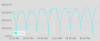
I have the sump pump speed tied to the running of the tides. When the tides are running, the pump runs at 100% and as the tide reaches high/low the pump slows. Here is what the sump pump flow looks like over a 2 day period.

variablesumppump.png

Being able to slow the pump to 0 GPH without actually cutting power is probably the only actually useful feature. I can effectively stop flow from the sump, but since the pump is still running there is no back-flow.

The exact same hardware works on the Jabao wavemaker too. Instead of just turning the wavemaker off at high tide and on at low tide, I have the size of the wave slowly grow as the tide falls.

There is one big problem that I need to address. It is not currently fail-safe. Critical life support equipment should fail ON instead of fail OFF. In the current configuration if the controller fails to send a PWM signal for some reason, the pump will not run at all. Not ideal. I need to insert a transistor to invert the signal so that the default state is on.


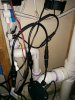
And here is a picture of my adapter inserting the custom control signal between the stock controller and the pump.
IMG_20150920_130723.jpg
 
Last edited:

Users who are viewing this thread

Back
Top